No Data

An all-modal AI video model for controllable 2K creation with unified text, image, video, and audio references.
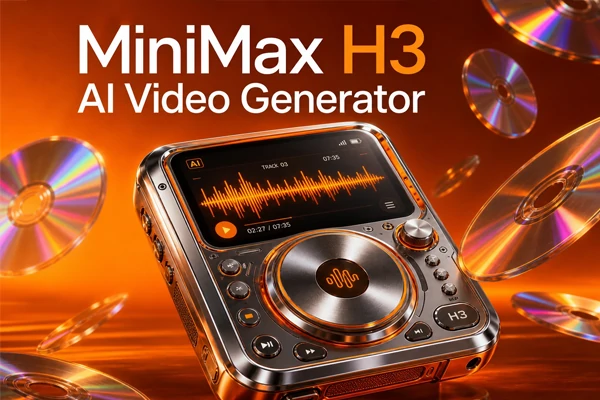
Create short audiovisual scenes from text, images, video, and audio, then keep refining the result through a flexible AI video workflow.
MiniMax H3 is now available on SeaArt AI, giving you a simple online way to create, edit, and refine multimodal videos. You can also explore MiniMax H3 Max and MiniMax H3 Open Weights as other options in the H3 family.


Clearer 2K Video Ideas
Create crisp short clips that are easier to review, share, and use in early visual presentations.

Flexible 5-15 Second Clips
Build a quick visual beat or give a short scene more room to develop, depending on the idea.



Formats for Different Projects
Choose a canvas that fits social posts, product previews, cinematic frames, or mobile-first content.

Create in Your Browser
Work through SeaArt AI video generator online, so you can test scenes without installing professional video software.
When a scene depends on more than a sentence, give MiniMax H3 video generator the materials that explain it. A character image can show who appears, a short clip can suggest movement, and an audio reference can set the voice or mood. H3 reads these inputs together, so the generated scene follows a clearer creative direction.
Use your references with purpose instead of asking the model to copy everything at once. Point to the character you want to keep, the action you want to borrow, the camera move you want to follow, or the style you want to carry over. This makes complex ideas easier to shape and revise.
Add dialogue, voice direction, and sound ideas when the story depends on what people say or hear. Reference audio can guide the sound of a character, while your prompt explains timing, emotion, and action. The result is planned as a complete audiovisual moment, with lip-sync and scene mood working together.
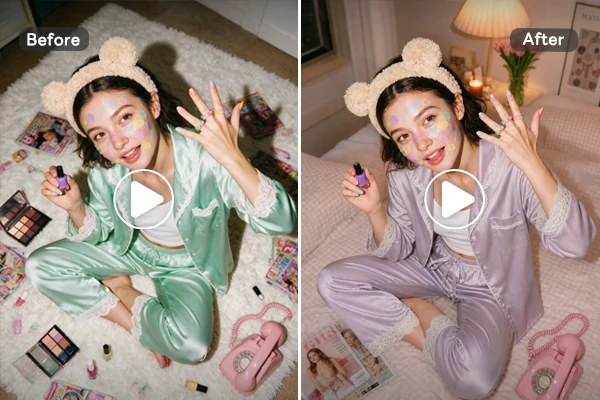
Have the right scene but the wrong background, prop, character detail, line, or voice? Ask for a focused change instead of starting over. H3 is built for this kind of revision, helping you adjust selected elements while keeping the rest of the clip closer to the version you already like.
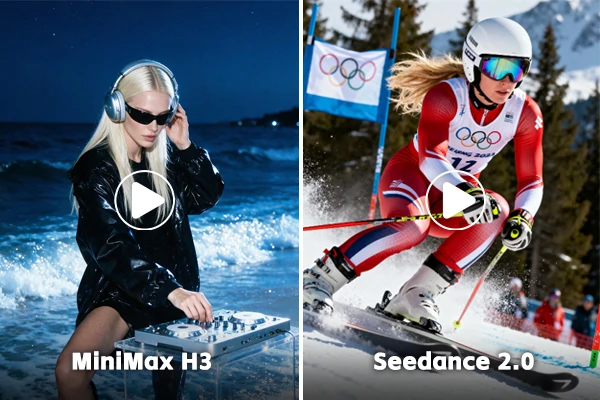
Seedance 2.0 can be a natural choice when your priority is complex movement, multi-person interaction, and cinematic multi-shot direction. H3 fits projects that rely on several references, local edits, voice changes, or repeated refinement. The distinction is about workflow: direct one complete scene, or keep shaping it step by step.
Choose a Generation Mode
Pick Text-to-Video, Image-to-Video, or Reference-to-Video based on the control your scene needs.
Add the Matching References
Add a prompt, starting image, first and last frames, character reference, video, or audio according to your chosen mode.
Direct, Generate, and Refine
Describe the action and mood, set output options, preview the clip, then refine your instruction before downloading.
Explore more creative possibilities with SeaArt AI's flexible AI video maker.













What is MiniMax H3 AI video?

What is new in MiniMax H3?
Compared with Hailuo 2.3, MiniMax H3 expands the workflow from text-to-video and image-to-video into multimodal creation and editing. It accepts richer references, supports 5-15-second clips and more formats, and brings audio, dialogue, and local revisions closer together.
Can MiniMax H3 edit videos?
Yes. You can use MiniMax H3 to modify an existing clip by changing selected characters, objects, backgrounds, lighting, dialogue, or voice direction. Focused instructions help preserve the parts you already like, making repeated creative revisions easier than rebuilding every scene.
Can I use H3 videos for commercial projects?
Yes, but before publishing, confirm that your uploaded references, voices, music, and recognizable people are legally cleared for commercial use in your intended market.


