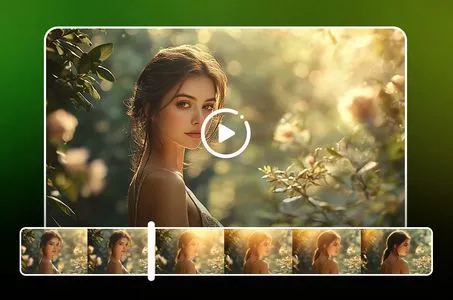
Details
Related Works
#Realistic
#HD Zoom
#Realistic Portrait
#Creative Morphing
#Personalized Photoshoot
Rating & Review
--/5
Not enough ratings or reviews received yet
Hot
Latest
more

No data available
Related Works
Post My Work
Log in to view all works
Log In Now
Explore Related














Download SeaArt App
Continue your AI creation journey on mobile devices
Change Your Look with Ginger Hair Filter

Upload and Get Ginger Hair Results in Seconds
Simply upload a photo and watch AI change hair color instantly. No complex settings or technical skills required - just one click to preview yourself with stunning red hair. The intuitive interface guides you through the entire process in under 30 seconds, making it effortless for anyone to try ginger hair without commitment. Perfect for quick makeover previews before important events or social media posts.

Experience Authentic European Red Hair Texture
Get the natural beauty of European ginger hair with realistic texture and depth. AI ginger filter replicates the distinctive characteristics of authentic red hair - soft copper highlights, natural color variation, and that signature warm glow. Unlike flat AI filters, the tool preserves three-dimensional hair structure with proper light reflection and shadow distribution. The result looks naturally grown, not artificially applied, capturing the true essence of ginger hair genetics.

Find Your Style Before Salon Commitment
Try ginger variations - to preview your look before spending hundreds at the salon. This virtual hair dye tool analyzes your skin tone, eye color, and facial features to generate custom red hair shades that naturally complement your look. See which ginger tone works best for you before committing to permanent hair color change at the salon, saving both money and potential regret.


Free to Try
Start using the ginger filter at no cost. Test features and preview your ginger hair transformation before upgrading.

Instant Results
Get your ginger hair preview in seconds. Upload your photo and see the transformation instantly without waiting.



Private & Secure
Your photos are processed securely with privacy protection. Upload and transform with confidence knowing your data stays safe.

Access Anytime Anywhere
Use the ginger filter on any device - phone, tablet, or computer. Transform your hair wherever you are, whenever you want.
How to Use Ginger Hair Filter in 3 Steps
Upload Your Photo
Select a clear photo showing your hair, then upload it to SeaArt AI.
AI Color Transformation
Wait a few seconds while AI analyzes hair structure and applies natural ginger tones.
Download Ginger Hair Result
Preview your new ginger look, adjust if needed, then download to share.
Explore More Hair Transformation Tools
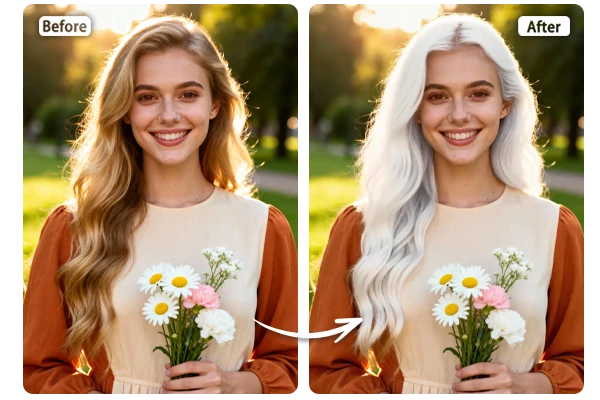
AI White Hair Filter
Transform your hair to elegant white or silver tones instantly. Perfect for previewing aged looks, fantasy characters, or trendy platinum styles.
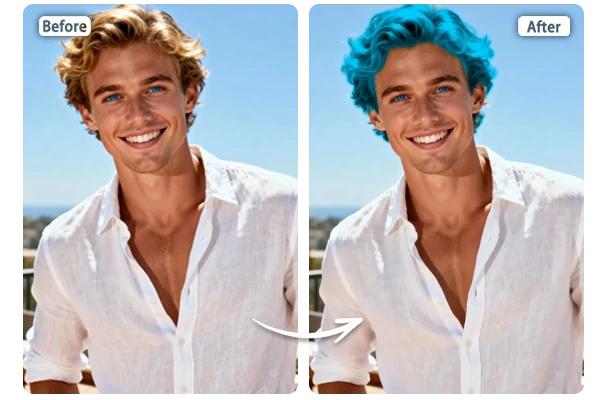
Blue Hair Filter
Experiment with vibrant blue hair shades without commitment. Ideal for bold fashion statements, cosplay characters, and creative social media content.

Gray Hair Filter
Preview sophisticated gray hair styles before dyeing. See yourself with mature silver tones or fashionable gray aesthetics in seconds.
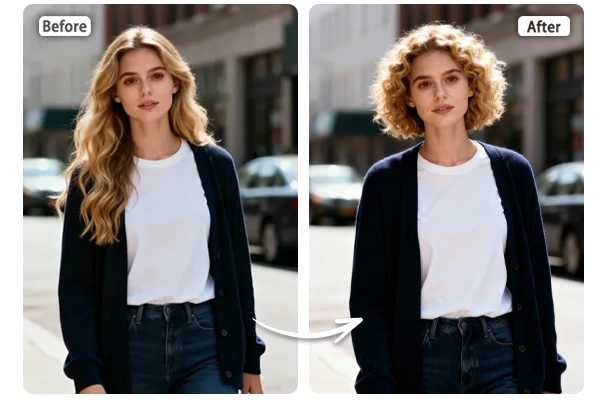
AI Sheep Curls
Add natural curly hair texture to your photos instantly. Transform straight hair into bouncy, voluminous curls for a fresh new look.
Ginger Filter – FAQs

What is a ginger filter?
This filter is an AI-powered tool that transforms your hair color to vibrant ginger (red hair) tones. Simply upload a photo, and the AI instantly applies realistic ginger shades while maintaining your hair's natural texture, volume, and shine.

Can I use ginger hair filter on any hair color?
Yes! The ginger filter works on all hair colors - black, brown, blonde, or previously dyed hair. The AI adjusts the ginger tone intensity based on your original color, ensuring natural-looking results that complement your skin tone and features.
Is the ginger filter free to use?
Yes! Use the filter without any paid subscription. Beyond your daily stamina, earn more by checking in daily, opening lucky boxes, and completing event center tasks to enjoy extended access.