

How to Create a Consistent Character With AI
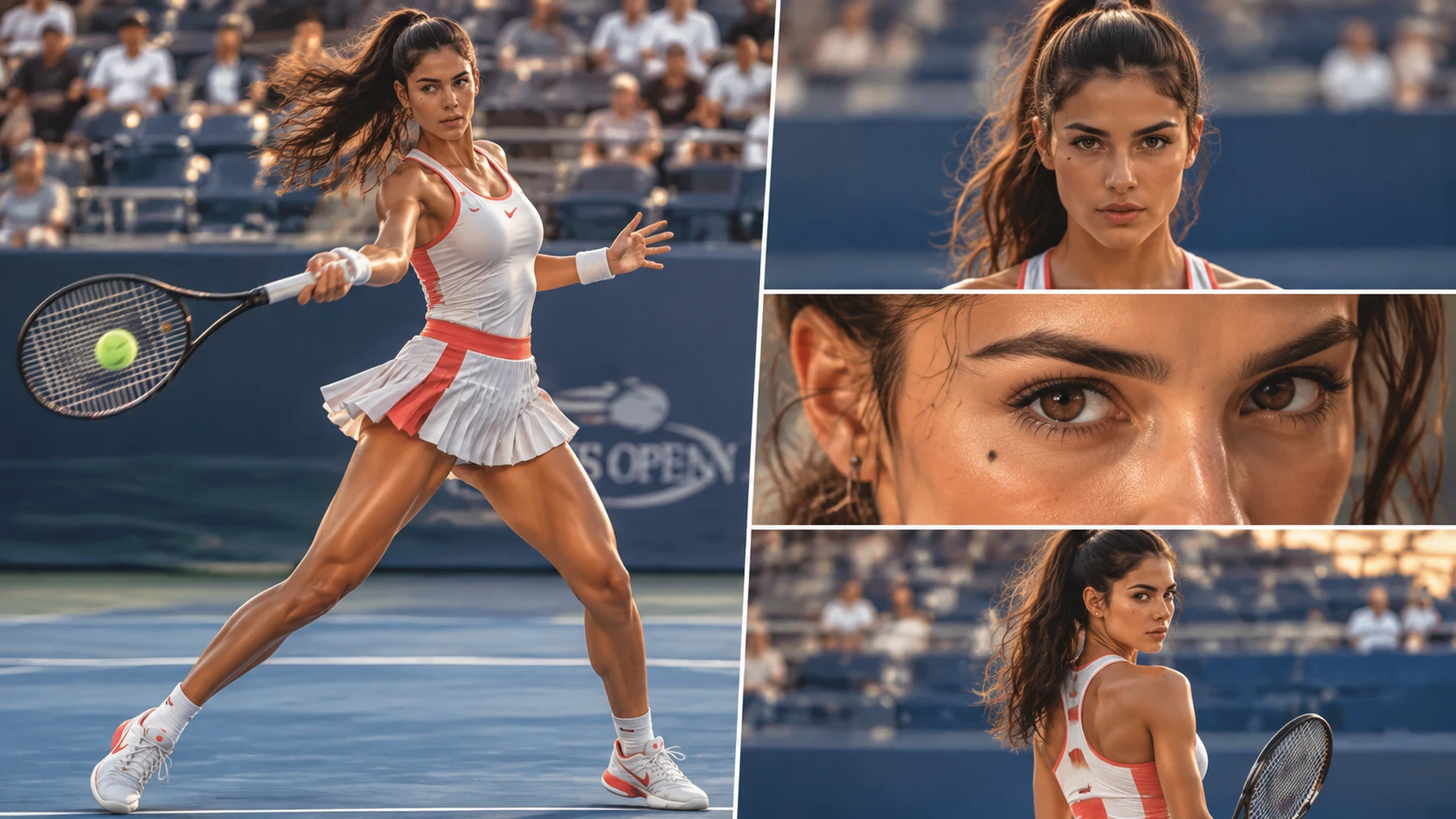
The first AI portrait can look perfect. The next one may have a different face, longer hair, or a jacket with details that were never there.
That is the consistent character problem. A single prompt is not enough when the same person needs to appear in several images, poses, locations, or video shots. You need a small system that tells the model what must stay fixed and what it is allowed to change.
This guide shows you how to build that workflow with character reference sheets, reusable identity prompts, image editing, LoRA, and video generation.
What Is AI Character Consistency?
A consistent character remains recognizable across multiple AI-generated images. The face should feel like the same face, but consistency also includes hair texture, apparent age, body shape, clothing details, accessories, and visual style.
The easiest way to manage these details is to divide the prompt into two parts: fixed identity and flexible scene details.
AI characters often drift when too many elements change at once. If the face, outfit, camera angle, lighting, and action all change in one prompt, it becomes difficult to tell what caused the result to change.
How to Create an AI Character Reference Sheet
A character reference sheet gives the model several clear views of one identity. Use a simple background, even lighting, and neutral poses. The goal is identification, not a finished poster.
A practical sheet can include five views: a front portrait, three-quarter portrait, side profile, full-body front view, and full-body three-quarter view. The front view shows facial details, the profile reveals the nose and hair silhouette, and full-body views help establish proportions, clothing, and accessories.
AI Character Reference Sheet Prompt:
Create a clean character reference sheet for one recurring fictional travel host.
Identity:
- 29-year-old woman
- Medium warm-brown skin
- Softly angular face with a defined chin
- Dark-brown almond-shaped eyes
- Shoulder-length black curls with a side part
- Small beauty mark below the left eye
- Athletic build and average height
Wardrobe:
- Rust-orange field jacket
- Cream crew-neck T-shirt
- Dark straight-leg trousers
- Green canvas backpack
- Compact silver camera
Show five views:
- Front portrait with a neutral expression
- Three-quarter portrait with a natural smile
- Side profile
- Full-body front view
- Full-body three-quarter view
Use even studio lighting and a plain warm-gray background. Keep the face, hairstyle, body proportions, wardrobe, and accessories consistent. No text, watermark, extra people, duplicated limbs, or dramatic shadows.
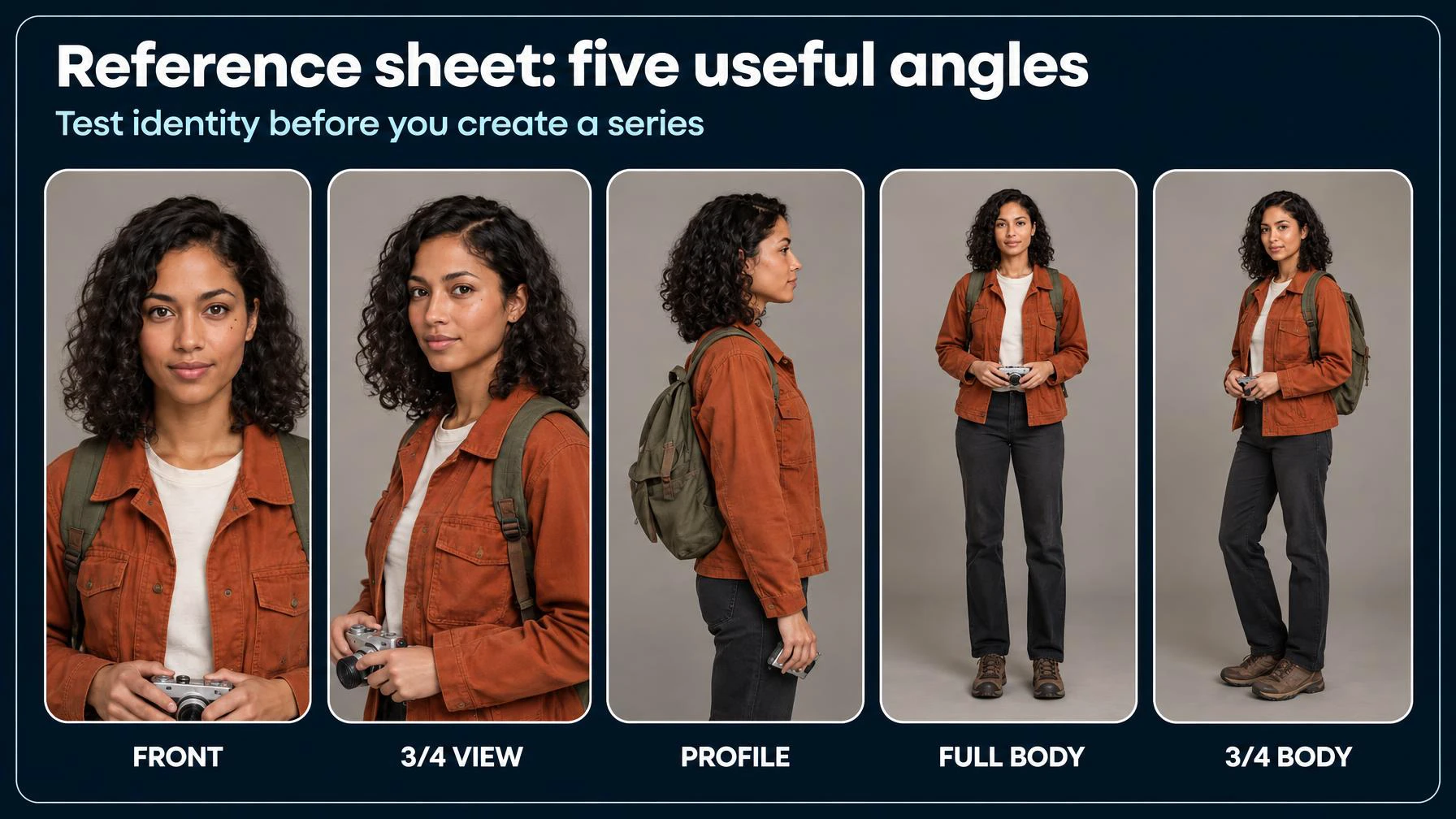
Choose two or three clear anchor images from the result. The most useful anchor is not always the prettiest one. Pick images where the eyes, hair, face shape, and clothing are easy to read, then keep those anchors unchanged while building the series.
Tip: If the model struggles to generate all five views accurately, create a front portrait first, then use image editing or additional references to build the remaining angles. A few clear references are more useful than a crowded sheet with inconsistent details.
How to Write a Consistent Character Prompt
A consistent character prompt separates identity from the scene. Keep the identity block nearly unchanged, then add the location, action, lighting, and camera details below it.
A useful prompt structure is:
- Identity
- Action or pose
- Location
- Camera and lighting
- Style
- Exclusions
Reusable Identity Prompt:
Recurring character: Maya, a fictional 29-year-old travel host with medium warm-brown skin, a softly angular face, dark-brown almond-shaped eyes, shoulder-length black curls with a side part, and a small beauty mark below her left eye. She has an athletic build and average height.
Identity lock: Preserve Maya's facial structure, skin tone, apparent age, eye shape, hair texture, beauty mark, body proportions, and height. Show the same recurring character, not a similar person.
Scene Prompt:
Scene: Maya sits on a quiet café terrace after sunrise.
Action: She writes in a notebook while holding the strap of her green backpack.
Camera: Vertical medium shot, eye-level, natural editorial photography.
Lighting: Soft morning light with realistic shadows.
Keep the approved identity and wardrobe unchanged.
Negative prompt: Different face, changed eye color, altered hair length, extra people, text, watermark.
Keep the identity block unchanged across generations. Only modify scene-specific details, such as pose, location, lighting, or camera angle. This reduces conflicting instructions and makes character drift easier to diagnose.
How to Keep Character Consistency Across Images
The most useful rule is simple: change one creative variable at a time.
- Keep identity fixed and change the location.
- Keep identity and location fixed, then change the pose.
- Change the expression after the face remains stable.
- Change clothing only after the face and body proportions hold.
- Test extreme angles, dramatic light, and complex movement last.
- Quick tip: Generate three to five versions of the same scene, keep the strongest result, and save the prompt, reference image, and settings next to it.
This workflow makes it easier to diagnose failures. If the face changes when only the background changes, check the reference and identity block. If the face changes only during a running pose, simplify the action before changing the character description.
3 Ways to Maintain Character Consistency on SeaArt AI
Choose a method based on the assets you already have and how much control you need.
Fixed Seed: Quick Character Variations
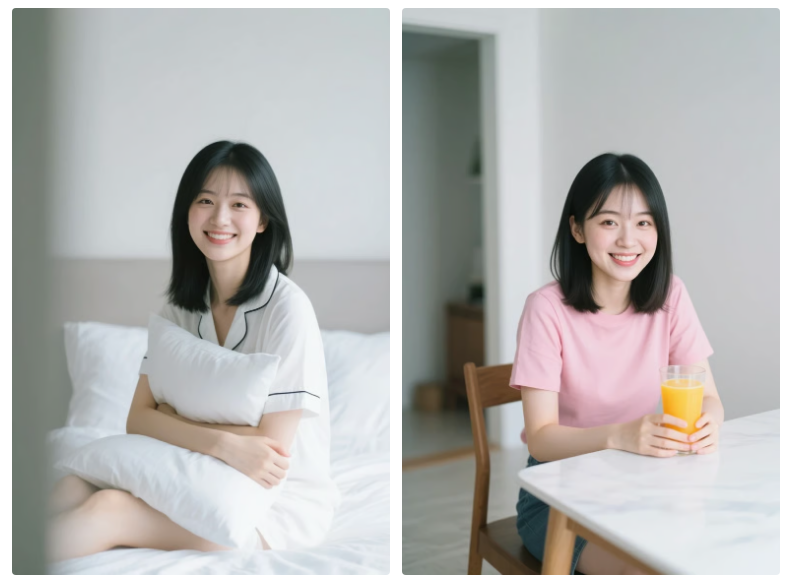
A fixed seed is useful for quick character variations when you do not have a reference image yet. Generate the first character image, save its seed, and keep the main description and generation settings stable. Then change one detail at a time, such as clothing, pose, or background.
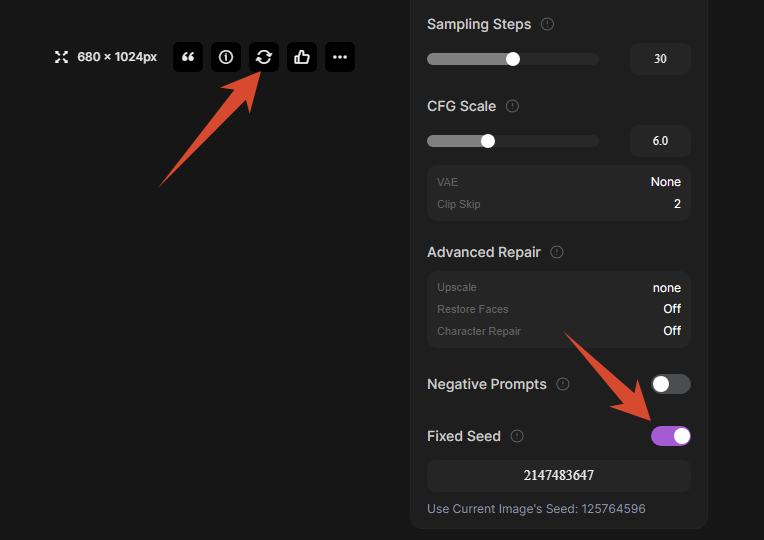
A fixed seed is most useful when the model, prompt, and settings remain similar. It can help produce related variations, but it is not a reliable identity-locking mechanism and does not guarantee an identical character.
Character LoRA: Reuse an Identity Across Generations
Character LoRA is better suited to a character that will appear repeatedly across many generations. Start with several clear reference images, train the character model, and use the required trigger word when generating new scenes. Keep identity details stable while changing the pose, outfit, or location.
LoRA training takes more setup than a fixed seed, but it can be useful when one character needs to return throughout a longer project.
Image Editing: Modify an Existing Character
Image editing is useful when you already have an approved character image and want to adapt it to a new scene. Start with the existing image, then change the background, clothing, pose, or other scene details while keeping the original character visible as a reference.
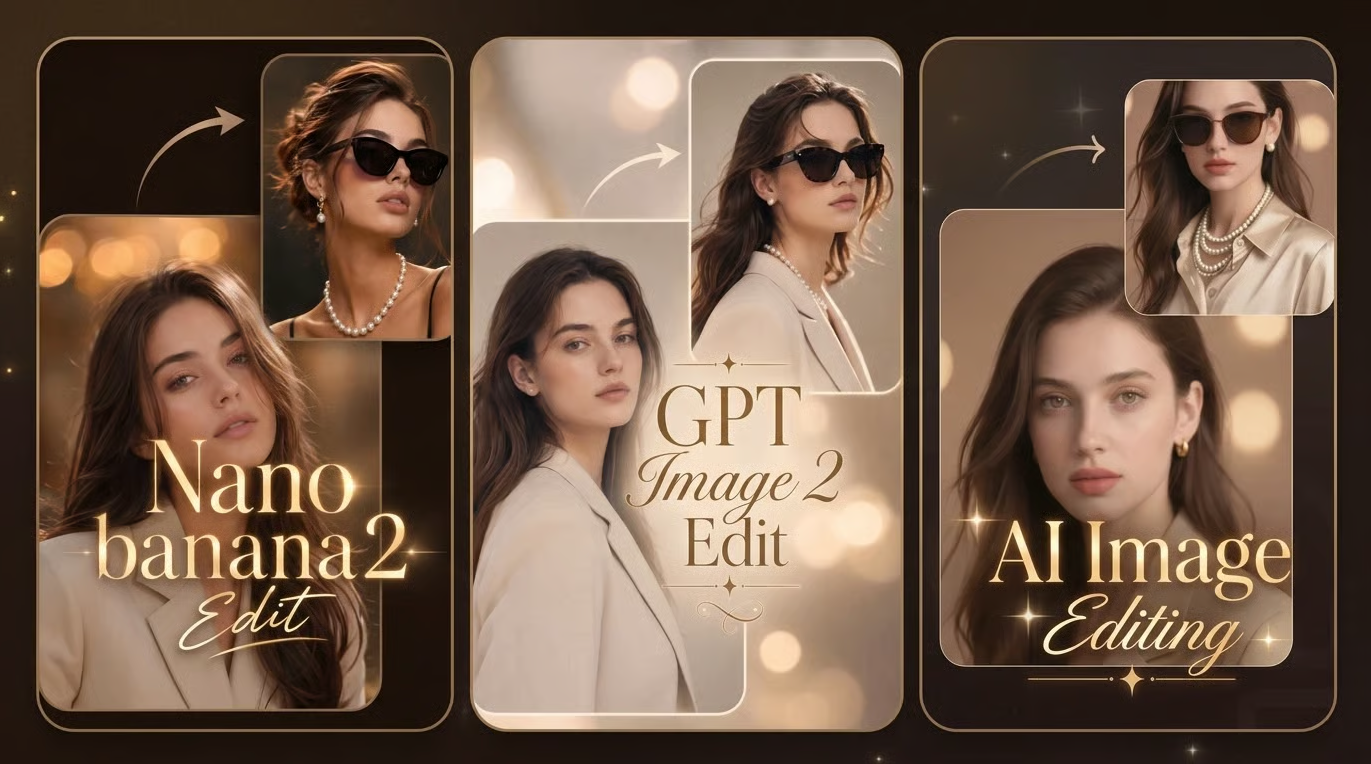
Choose the app that best matches your task. Upload an image, describe the edit in plain language, and review the result.
| App | Best for | What you can do |
|---|---|---|
| Nano Banana Image Editor | Reference-based creative edits | Change the subject, setting, or style while using the uploaded image as a reference. |
| ChatGPT Image Editor | Prompt-based image changes | Explain the edit in natural language and create a new version. |
| Image Editing AI App | Quick, ready-to-use edits | Describe a change and edit the image without choosing a model. |
This method works well for storyboard scenes and controlled variations because you are editing from an approved result instead of generating every image from scratch.
Which Method Should You Choose?
| Method | Best for |
|---|---|
| Fixed Seed | Quickly exploring variations when you do not have reference images. |
| Character LoRA | Reusing a character across many generations or a longer project. |
| Image Editing | Adapting an approved character image to new scenes with more control. |
All three methods can work for realistic or anime-style characters. Results depend on the model, reference images, and generation settings.
How to Troubleshoot Character Consistency
If a character starts to drift, check the element that changed before rewriting the entire prompt.
| Problem | What to check |
|---|---|
| The face looks different | Reference image, facial details, and identity prompt. |
| Hair or clothing changes | Fixed identity block and wardrobe description. |
| Body proportions drift | Full-body reference and camera framing. |
| Different angles look inconsistent | Front and profile references. |
| The character changes between video shots | Reuse references, simplify motion, or shorten clips. |
How to Create Consistent Characters for Video
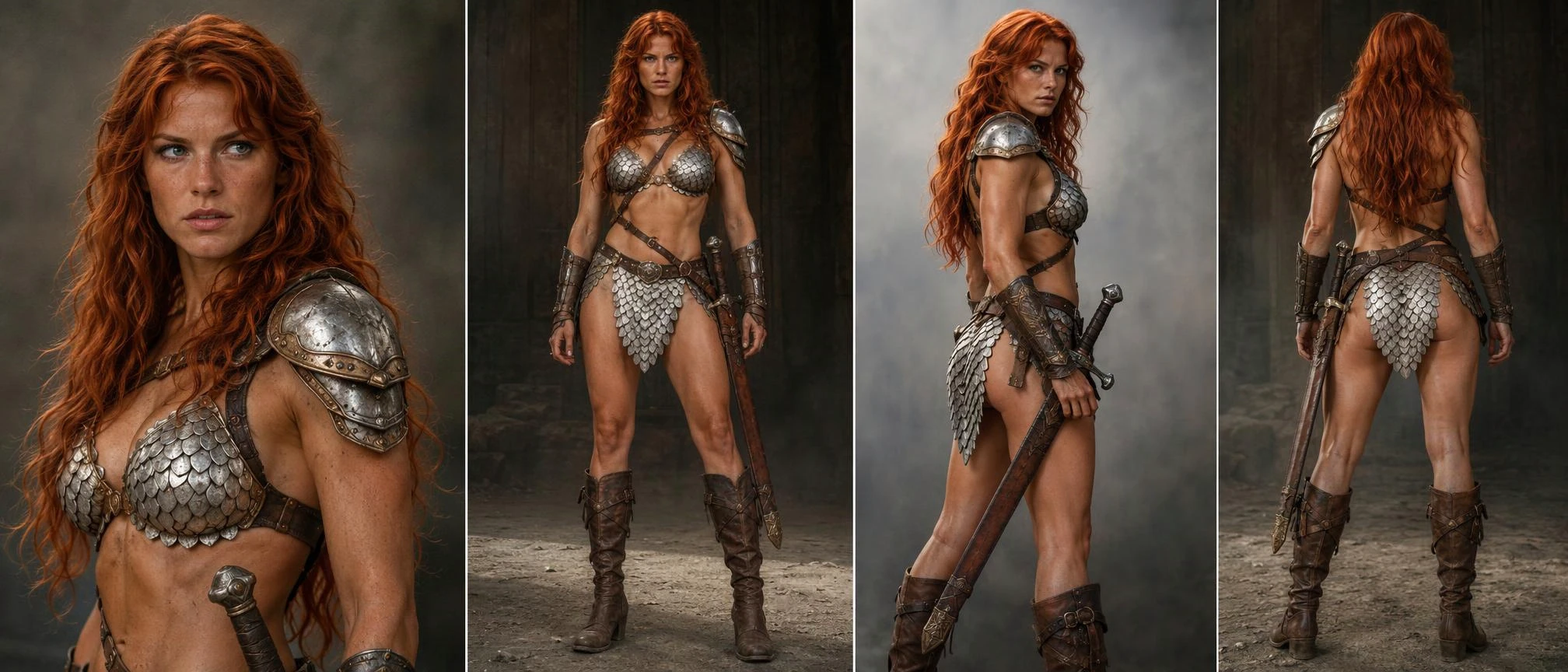
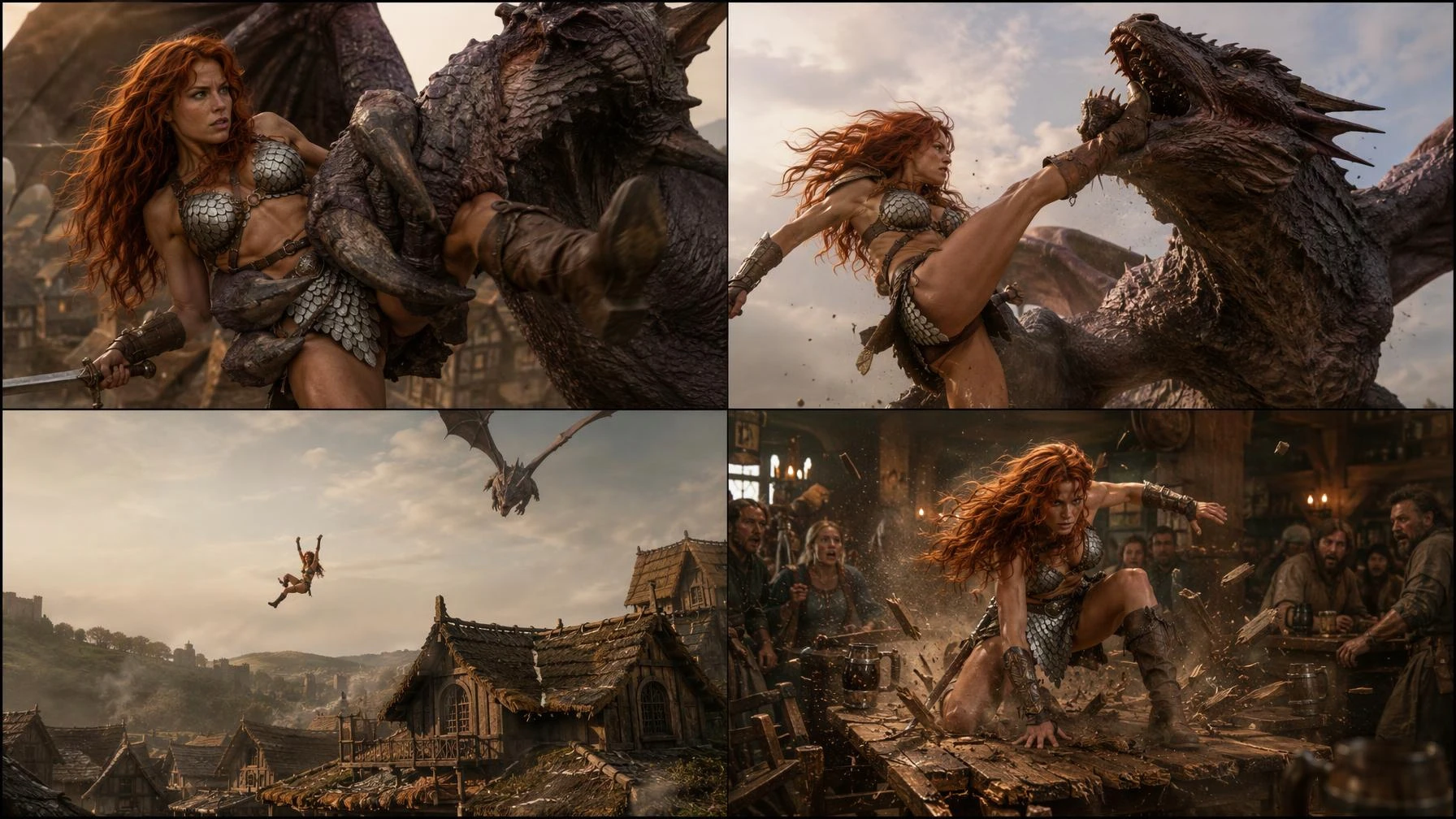
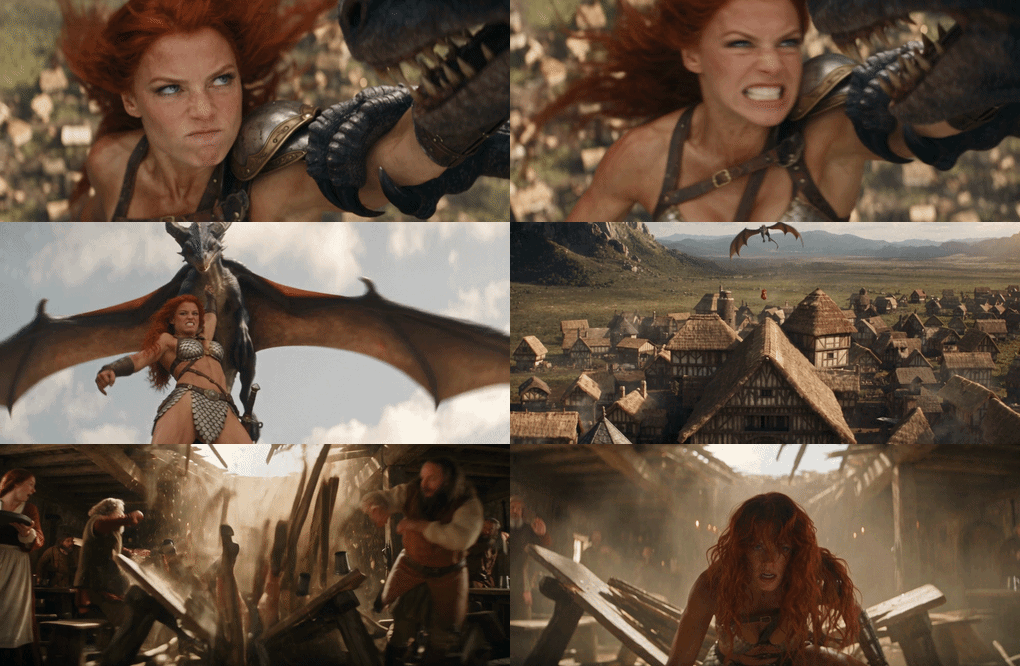
Video generation has to keep two things stable at the same time: the character's identity and the visual sequence. A reference image provides a visual identity anchor, while a storyboard shows how the character should appear from shot to shot. Without both, the face, clothing, lighting, or scene direction can change during the video.
| Reference Image | Storyboard | Final Result |
|---|---|---|
 |  |  |
Want to recreate this result? Try the prompt below:
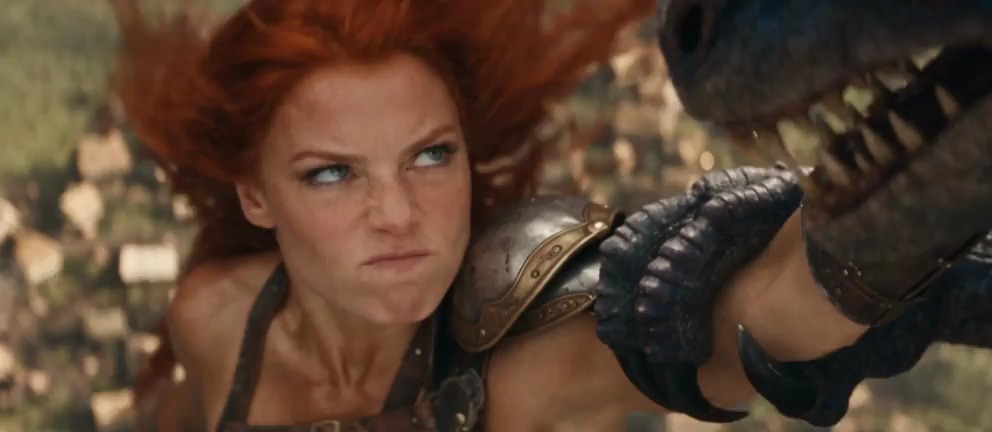
Photorealistic live-action medieval fantasy action film, cinematic 35mm photography, 16:9 widescreen, realistic human actors, natural skin textures, practical medieval costumes, physically believable creature effects, realistic gravity and motion, natural film grain, dramatic late-afternoon lighting, professional Hollywood feature-film cinematography. REFERENCE CONTROL: [Image1] is the Red Sonja character identity reference. Preserve her exact facial appearance, long wavy copper-red hair, blue-gray eyes, natural skin texture, athletic body proportions, silver scale armor, leather straps, shoulder armor, bracers, boots, and sword with its leather sheath. Maintain her identity and costume consistently throughout all four shots. Transform the illustrated storyboard into completely photorealistic live-action cinema. The comic determines the action and camera composition, NOT the visual style. SETTING: A medieval fantasy village beneath a warm late-afternoon sky. Timber-framed buildings, thatched rooftops, distant mountains, and a wooden tavern. A massive muscular winged reptilian monster with leathery gray-purple skin, a long crocodilian head, sharp teeth, powerful arms, clawed hands, and enormous bat-like wings carries Red Sonja high above the village. 15-SECOND SHOT SEQUENCE: SHOT 1 — 00:00–00:03 TIGHT CINEMATIC CLOSE-UP — MATCH PANEL 1 Camera positioned close to Red Sonja's upper body and face, matching the first storyboard panel. The flying monster is already gripping and carrying her through the air. Red Sonja twists against its grip, her long red hair whipping violently in the wind. Her face shows fierce anger and determination. She braces herself and draws one leg upward, preparing to strike. The camera remains tight on her face and upper body, preserving the original panel's perspective. HARD CUT. SHOT 2 — 00:03–00:07 DRAMATIC LOW-ANGLE ACTION SHOT — MATCH PANEL 2 Camera positioned below the airborne characters, looking upward, matching the second storyboard panel. The monster flies with its enormous wings extended while holding Red Sonja against its body. Red Sonja violently thrusts her boot upward in a single swift, powerful kick. HER BOOT STRIKES DIRECTLY UNDER THE MONSTER'S JAW. The impact is immediate and forceful. The monster's head snaps sharply backward, its mouth opens in pain, and its wings jerk from the sudden impact. Red Sonja's expression is furious, her teeth clenched and eyes filled with rage. The monster involuntarily opens its gripping hand and releases her. Red Sonja separates completely from the creature and begins falling. Fast, realistic action choreography. Clear physical contact between boot and jaw. Natural impact physics. No slow motion. HARD CUT. SHOT 3 — 00:07–00:10 EXTREME WIDE ESTABLISHING SHOT — MATCH PANEL 3 Camera positioned far below the characters, looking upward toward the sky above the medieval village, matching the third storyboard panel. The monster remains high in the sky, recovering from the kick. Red Sonja is now falling freely, several meters beneath the creature. Her body tumbles naturally through the air, arms and legs reacting instinctively to the fall. Her red hair streams upward in the rushing wind. Below her are the steep thatched rooftops of the medieval village. She rapidly descends toward the roof of a large wooden tavern. Maintain the wide composition, clearly showing the separation between the monster, the falling woman, and the buildings below. HARD CUT. SHOT 4 — 00:10–00:15 DYNAMIC INTERIOR WIDE SHOT — MATCH PANEL 4 Camera positioned inside the medieval tavern at the same angle and composition shown in the fourth storyboard panel. The tavern is occupied by several medieval villagers sitting and standing around heavy wooden tables. A bar counter, shelves of bottles, wooden ceiling beams, and a serving woman carrying drinks are visible. Without warning, the wooden roof directly above the tavern interior violently BURSTS OPEN. Red Sonja crashes downward through the roof at tremendous speed. Wooden beams snap, roof planks explode inward, and broken timber and dust scatter across the room. She slams HARD into the large wooden table beneath the opening. The table breaks apart from the force of her impact, sending mugs, dishes, and splintered wood flying. Nearby patrons recoil violently in shock. Some throw up their arms, others stumble backward. Red Sonja lands amid the broken table, momentarily stunned but conscious. Her long red hair falls across her face as the shattered debris settles around her. The camera holds the original fourth-panel interior perspective throughout the crash. The impact must be sudden, fast, physically forceful, and dynamic. No slow motion. No additional camera cuts during the crash. END.
Use the same character reference when creating the storyboard. After the storyboard is approved, use it as a visual guide for video generation. If the storyboard already changes the character, fix the reference image first. If the storyboard is consistent but the video drifts, simplify the motion or shorten the clip.
SeaArt AI brings character creation, image generation, and video workflows together in one creative process. For longer sequences, continue with SeaArt's Long AI Video Generator.
FAQs About Consistent Character AI
How do I keep character consistency across multiple images?
Use a reference sheet, two or three stable anchor images, one identity block, and one creative change at a time. Check the face, hair, age, body proportions, wardrobe, and accessories before moving to the next scene.
How do I create a character reference image for AI?
Start with a clear front portrait with even lighting and a simple background. Add a three-quarter view, profile, and full-body view. Avoid sunglasses, heavy shadows, face-obscuring props, and dramatic lenses in the main reference.
Do I need a character sheet prompt for one image?
No. One image can work on its own. A character sheet becomes useful when the same identity must appear in different angles, poses, locations, or video keyframes.
Can a fixed seed guarantee character consistency?
No. A fixed seed can help create related variations when the prompt and settings stay similar, but it does not guarantee an identical character.
Can AI keep the same character across different video scenes?
It can, but results depend on the video model and the references it supports. Reuse the same character reference across shots, keep appearance details stable, and generate shorter clips when possible. For longer sequences, review each shot before combining them into a final video.
How do I make an avatar consistent?
Lock the avatar's face shape, eye design, hair silhouette, body proportions, color palette, and accessories. Store those traits in a reusable identity block and keep expressions and poses in a separate list.
Conclusion
Creating a consistent AI character is less about finding the perfect prompt and more about building a repeatable workflow. Start with a clear character reference, keep identity details fixed, and change one scene element at a time. For longer projects, use character references, LoRA, or image editing to maintain a recognizable identity across generations.
Once your character looks consistent in still images, you can move on to storyboards and video. SeaArt AI brings character creation, image generation, and video workflows together, making it easier to develop the same character from a single portrait into a series of scenes.
Related Articles
Is Character AI Shutting Down? What to Know and How to Protect Your Data

How to Create AI Character from Scratch with SeaArt AI for Chat & Roleplay
60+ Character AI Ideas for Better Roleplay Conversations
What Cartoon Character Do I Look Like? Quiz Test & Face Analyzer App & AI Filter