50M
+Creator


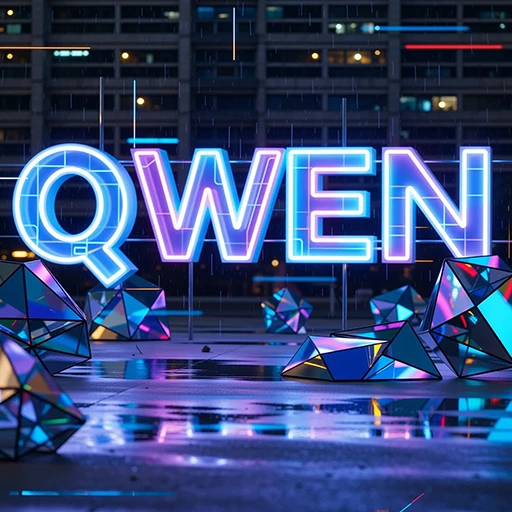

Train a Qwen Image LoRA in your browser for consistent characters, repeatable brand visuals, and cleaner poster drafts with less prompt guesswork.


Browser Training
Upload your image set, configure the training task, and monitor the run from an online workspace built for creators.

Preview Prompts
Add a sample prompt before training starts, then check generated previews to see whether the model is learning the right subject.



Trigger Word Control
Assign a short keyword to call your trained character, style, product, or visual identity in later generations.

Text-Rich Visuals
Qwen Image is useful when your outputs include posters, signs, packaging mockups, UI panels, or layouts where readable text matters.
Use a focused dataset to lock in the parts prompts keep missing: poster structure, character identity, product styling, logo rules, and the visual cues your team checks by eye.

Text-heavy work fails when the model treats words as decoration. Train on sharp poster examples with similar headline sizes, margins, type hierarchy, and layout structure. Then test with preview prompts before you commit to a style. You are not getting final typography on autopilot, but you get stronger drafts for campaign review.
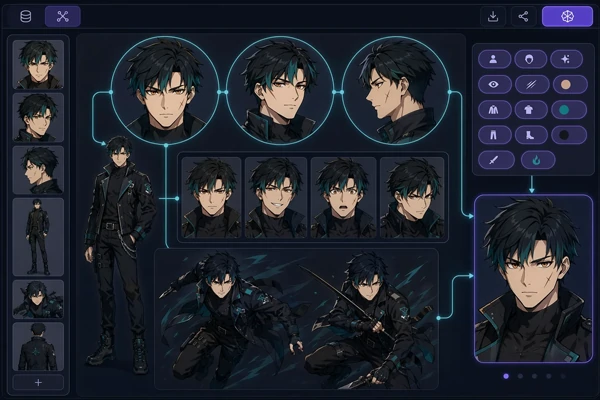
Character training breaks down when the dataset mixes poses, outfits, and face details without a clear pattern. Start with clean portraits, full-body views, outfit references, and a few expression changes. The goal is not to copy one pose. It is a character that can move into new scenes while still looking like itself.
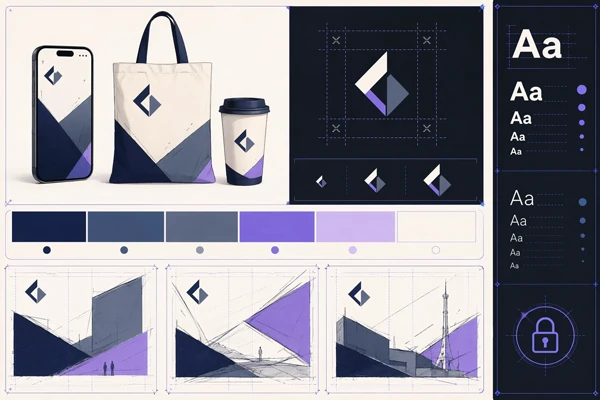
Brand work needs restraint. Feed the model examples that repeat the same logo spacing, palette, material finish, product angle, or campaign layout. A smaller, cleaner set usually beats a folder of mixed references. After training, the trigger word gives concept drafts a shared visual memory before designers take over the final polish.
Use Qwen Image training to turn a small, focused dataset into a reusable LoRA model.
Prepare Your Dataset
Collect clear subject or style images with repeated details, varied angles, and minimal blur.
Configure Training
Name the task, choose LoRA settings, add a trigger word, and write a preview prompt.
Generate With Your Model
After training finishes, use the trigger word inside SeaArt AI to create new images.

What kind of dataset works best for Qwen Image model training?
Use clean images with a repeated subject or style, plus enough variation to avoid overfitting. For a character, mix close-ups, half-body, full-body, and different expressions. For a poster style, keep layout, typography, and palette consistent. Remove blurry samples, off-brand tests, and images where the main subject is too small. That matters.

Can I train Qwen Image LoRA for readable text designs?
Yes, that is one of the better reasons to choose Qwen. The base model handles text-heavy visuals better than many general image models, but your dataset still matters. Blurry screenshots, tiny labels, and inconsistent fonts will weaken the trained result. If text accuracy matters, include examples where the letterforms are large, sharp, and placed in similar design contexts.
How many images should I upload?
Start with a tight set before adding more. Around 10 to 25 clear images is a practical range for many character or style tests. If the subject changes too much, fewer better images will usually beat a large mixed dataset. It is better to test one focused training run first, then add images only after seeing the preview results.
Can I use the trained model with the AI image generator?
Yes. After training, use your trigger word inside the AI image generator to call the trained look. You can also combine it with normal prompting for new scenes, outfits, backgrounds, or campaign formats. Keep the trigger word short and memorable, because you will reuse it often during testing.
Is SeaArt AI useful if I only want general image creation?
Yes. Use free AI art generator workflows for one-off image creation for normal image creation, then train a LoRA when you need the same character, style, or text-heavy brand look to repeat across multiple outputs. General creation is faster for one-off ideas; training is better when consistency starts to matter.