50M
+Creator

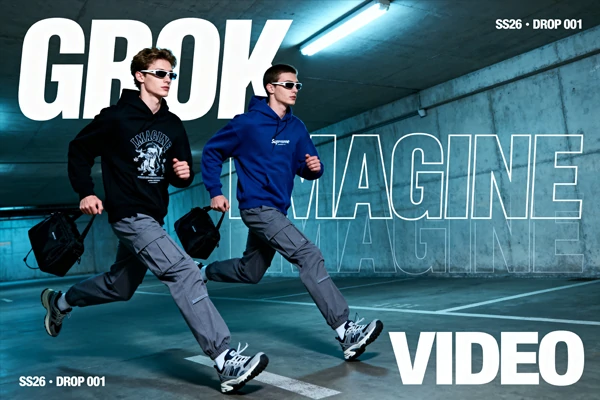
Turn text or images into 15 second social-ready AI videos with auto-synced audio, powered by Grok Imagine's multimodal model on SeaArt AI.
See what creators are making with Grok AI video generator. From epic scenes to fun daily clips.


Generates in Seconds
No queue time. No long waits. Grok Imagine produces short AI videos faster than most competing tools, built for trend-chasers who post daily.

Audio Included, No Editing Required
Every clip ships with auto-generated ambient sound and effects. Post directly after generation, no separate audio step needed.



Two Input Modes in One Tool
Start from a text prompt or upload a photo. Both workflows live in the same interface so you can switch without friction.

Free Credits on Signup
Claim your free credits on SeaArt AI, test both modes, and create right away. Upgrade only when you want more.
Just describe what you want to see. Grok Imagine AI video generator understands your prompt, adds natural motion, narrative flow, and perfectly matched audio. No slideshows, you get real, coherent short video content optimized for social platforms. Most creators go from idea to ready-to-post video in under two minutes. This is the fastest way to create content without the usual production headache.
Upload any photo, portrait, product shot, or illustration. The AI instantly animates it with expressive movement, fluid dynamics, and context-aware action. Faces gain emotion, objects get dynamic energy, and illustrations come alive. No keyframes. No extra tools. Just upload and generate.
Every clip from the Grok AI video generator includes automatically generated ambient sound and effects matched to the visual, no separate audio production required. For creators publishing on X, TikTok, or Instagram Reels daily, this single feature removes one full step from the workflow. The model handles audio context automatically.
Choose Your Input Mode
Select text-to-video to describe your scene in words, or image-to-video to upload an existing photo. Both options are in the same interface.
Write Your Prompt or Upload Your Image
For text-to-video, describe the scene with specific details, include action, mood, and tone cues for better output. For image-to-video, upload a JPG or PNG and add optional text to guide the animation direction.
Generate Your Video
Hit Generate and your video will be ready in one minute, with auto-synced audio included and ready to download and post.

What is Grok AI video generation, and how is it different from other AI video tools?

Is the Grok imagine video generator actually free to use?
Yes, you can start completely free. Just sign up on SeaArt AI and you’ll receive free stamina immediately. Use them to try text-to-video and image-to-video modes for free. Daily free stamina is also available for all users, so you can keep creating without upfront cost. When you need more generations, flexible upgrade options are available, or you can earn more by completing the daily challenges.
Sign up for SeaArt AI, claim your free credits, and start generating social-ready videos immediately.