50M
+Creator

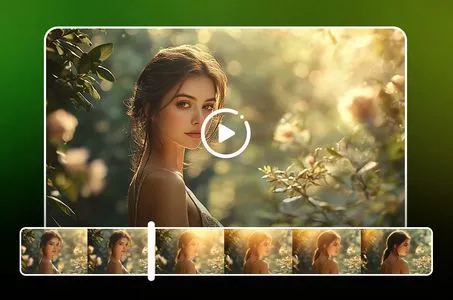
Upload your video and describe the changes you want. The Kling O1 AI video editor understands prompts like "change the background to a beach" or "make it sunset" and applies transformations automatically. No manual masking or frame-by-frame editing required, just type what you need and get professional results.
Change video backgrounds instantly while keeping foreground elements and motion intact. This AI video editor automatically analyzes your video's structure and replaces backgrounds seamlessly, maintaining natural movement and lighting. Ideal for product showcases, character replacement, and scene transformations without green screen setups.
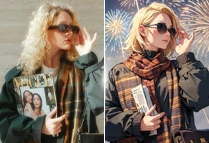
Kling O1 AI video editor allows multiple video styles transfer and color grading adjustment with simple instructions. Transform daytime scenes to golden hour, apply cinematic color palettes, or create artistic effects - all while preserving the original motion and composition. The AI video generator ensures professional output that matches your creative vision.

Choose AI Video Editor's "image+ video" mode and upload images as references or materials alongside your videos. Use reference images to guide style, composition, or character appearance while editing video content. This dual-mode approach allows creative combinations that traditional video editors can't achieve, enabling unique storytelling and visual effects.


Core Capacities of AI Video Editor
Two editing modes: upload videos with prompts or provide image references and just describe what you want.

Character Replacement in Footage
Replace characters in existing videos while maintaining natural movement and scene consistency.



Scene Environment Transformations
Transform video background instantly, change indoor scenes to outdoor settings, modify weather conditions, or adjust time of day.

Style Transfer While Maintaining Motion
Apply artistic styles, color grading, or visual effects to videos while preserving original motion and camera work.
Step 1: Input your video
Choose Edit Mode and upload your source video. Optionally add reference images for guidance.
Step 2: Write Clear Editing Instructions
Describe your desired modifications in natural language. Be specific about what you want to change.
Step 3: Generate and Review Modified Output
Once you're satisfied with the result, save the generated video to your device.

What is AI video editor?

Can I transfer camera movements between videos?
Yes, the Kling o1 video editor supports motion transfer. The Kling video to video feature allows you to upload a reference video with the camera movement you want, and the AI extracts the movement pattern and applies it to your scene. This creates cinematic effects like dolly movements, panning shots, and tracking without manual camera work.
Can I replace backgrounds in videos without green screen?
Yes, background replacement works without green screen setups. The AI analyzes your video's structure and replaces backgrounds while preserving foreground elements and motion. Simply describe the new background you want, and the AI handles the replacement automatically.
How accurate is the video editing compared to manual editing?
The Kling O1 video model understands context and motion structures, producing results that maintain visual coherence and professional quality. This video to video ai technology excels at transformations that respect camera angles, movement patterns, and spatial relationships—often achieving results faster than traditional methods while maintaining professional quality.