





50M
+Creator

Not enough ratings or reviews received yet


The output doesn't look generated - it looks shot. Sharp edges, consistent lighting, cinematic depth that holds up on any screen. Whether it's a brand campaign, event highlight reel, or personal project, the result reads as intentional rather than automated. The AI video generator handles every technical step. Go from photo to finished video in under a minute.
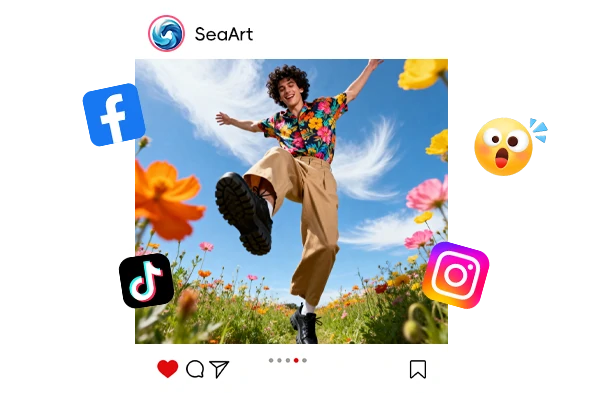
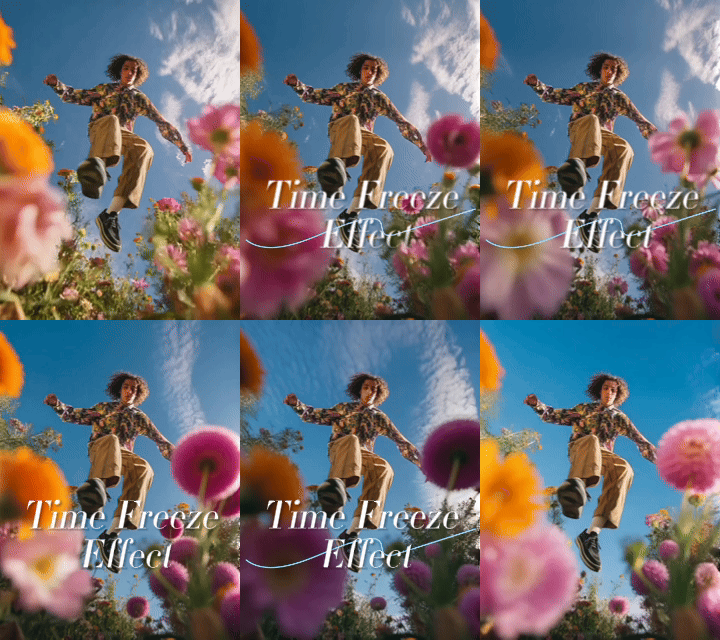
Someone frozen mid-air while everything around them keeps moving - that contrast is why these videos stop people mid-scroll. TikTok and Instagram creators have chased this look with expensive rigs for years. Use it for fitness, fashion, sports, or product reveals. For full 360-degree rotation around the subject, the Bullet Time Effect is also on SeaArt.
One photo goes in. A cinematic video comes out. Phone photos, action shots, product images, portraits - they all work as long as the subject is clear. No lighting setup, no editing timeline, no post-production workflow to manage. The output is sized for any platform and download-ready the moment generation finishes.


Cinematic Time Freeze
Upload one photo. Get a freeze-frame video that looks like it was filmed on set. No studio equipment or editing software required.

4K Video Output
Sharp, clear 4K resolution. Works across social media, YouTube, and professional displays without losing quality under compression.



No Watermark on Download
Every video downloads clean - no watermark, no logo, no strings attached. What you create is yours to use anywhere, including client work and paid ads.

Under 60 Seconds
From upload to finished video in under a minute. No timeline editor, no plugin setup. Just download and share.
One photo, one click, under 60 seconds. No crew, no timeline, no experience required. Millions of creators already use SeaArt AI to get this done. Try it free.
Upload Your Photo
Any clear photo works. Action shots give the sharpest results.
Wait for the AI
Generation takes under 60 seconds. No settings, no adjustments needed.
Download and Share
Your video is ready immediately. Post it anywhere, no editing required.

Does the result look as good as effects made in After Effects or Premiere Pro?
For a one-click result, it gets surprisingly close. You won't get frame-by-frame control like you would in a proper NLE, but the output holds up on social media, brand content, and marketing material. If you're doing broadcast-level work where every frame gets reviewed in detail, a dedicated editor is still the better choice. For most content creators using this as a time freeze effect maker for social and marketing work, this covers what you need.

What kinds of photos give the best results?
Action shots - jumping, dancing, throwing, running - work best if you want to know how to freeze time convincingly on screen. The subject needs to be visible and reasonably sharp. Low-light or blurry photos can still produce results, but expect softer edges. Phone photos work fine as long as the image isn't out of focus.
Can I use these videos in commercial work?
Yes. You keep full rights to everything generated. Use it in client projects, paid advertising, social content, or anywhere else. The output resolution holds up for standard commercial digital use.