
GPT IMAGE
Explore GPT Image models on SeaArt AI, including GPT Image 2 and GPT Image 2.5. Create detailed AI images, edit visuals with precise instructions, and generate commercial-ready posters, product photos, and ads with sharp details, clear backgrounds, and accurate text.
Why Choose GPT Image on SeaArt AI

Advanced AI Models
GPT Image 2 covers text-to-image briefs, and 2.5 covers reference-led edits. Pick the version that matches the task and run it on SeaArt AI with no extra setup.

Best Value Plans
Generate AI images at a fraction of the cost of standalone GPT Image tools. Flexible plans on SeaArt AI fit solo creators, hobbyists, and small teams.

Fast Image Generation
Most images render in under a minute. Optimized inference keeps generation time low so you can iterate on a brief and compare versions without long waits.

Multi-Model Hub
Switch from GPT Image to other image models without leaving SeaArt AI. Browse 1M+ AI models for upscaling, image-to-image, and editing when your brief changes.
How to Create with GPT Image in 3 Steps
Choose a Model
Open GPT Image 2 or GPT Image 2.5 based on the version named in your brief.
Add a Brief
Describe the subject, composition, edits, and visual direction in plain language.
Review and Refine
Review the result, adjust your instruction, and compare versions with the same brief when needed.
What You Can Build with GPT Image Models
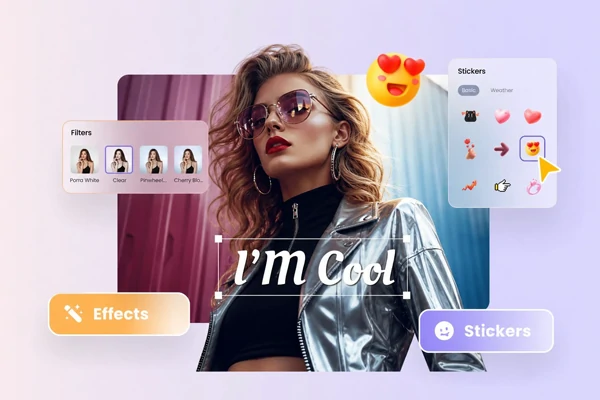
Write a Brief, Get an Image
Describe the subject, scene, and visual direction in plain words and let GPT Image turn the brief into a finished image. The GPT Image 2 page has prompt patterns and sample outputs to copy from once you've got a draft brief.
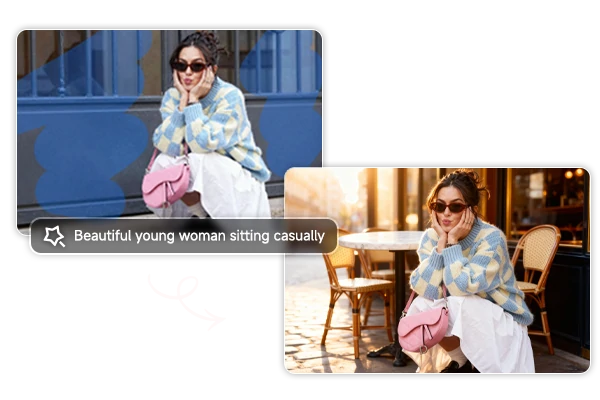
Edit a Reference Photo with Words
Upload a source image and write the change you want in plain language. GPT Image 2.5 handles instruction-led edits such as object changes, style shifts, and background swaps. The version page shows the same reference-and-instruction pattern with real examples.
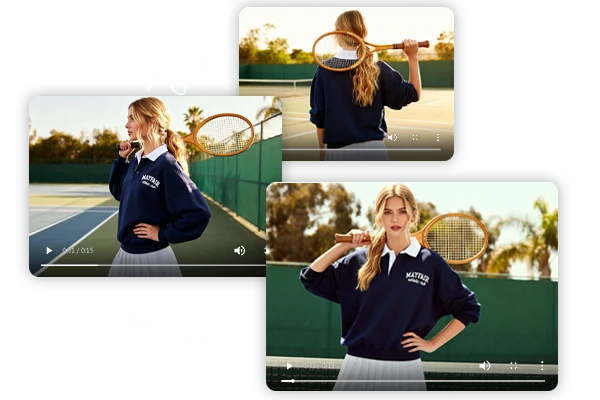
Keep a Series Visually Consistent
Working on a project with multiple images? Keep the same character, style, or visual rules across every output. Lock in the look that worked, then reuse it across the whole series without re-explaining the brief.
Create Your First GPT Image
Pick a version, write a brief, and generate. Most images finish in under a minute - and daily free stamina covers your first runs.
SeaArt AI Trusted by












Frequently Asked Questions

What is GPT Image?

Which GPT Image model should I use?
Match the version to what you're starting from. If you only have words, go with GPT Image 2. If you're editing an existing photo or need consistency with a reference, go with 2.5. When the choice is open, run the same brief on both and compare the results.
What can GPT Image create?
Anything static: product shots, social posts, posters, character art, environment concepts, portraits, and edited photos. If you can describe it in a sentence or show it in a reference image, GPT Image can take a first pass at it.
Can GPT Image edit images?
Yes. Upload a reference image, write the change in plain words, and the model reworks the image. For complex edits - object swaps, style transfers, background changes - use GPT Image 2.5. For simpler tweaks, GPT Image 2 handles them too.
Is GPT Image free to use?
Yes. SeaArt AI provides daily free stamina for GPT Image generation, and you can earn additional credits through available Reward tasks. Paid plans unlock higher-volume generation and commercial-friendly usage rights.
Can I use GPT Image commercially?
Yes. You can use GPT Image visuals commercially for product listings, social media campaigns, marketing materials, ad creatives, and client deliverables inside the AI image generator. Use only authorized reference images, brand assets, and prompts you have the right to reproduce, and review the platform's terms for the specific license that applies to your plan.